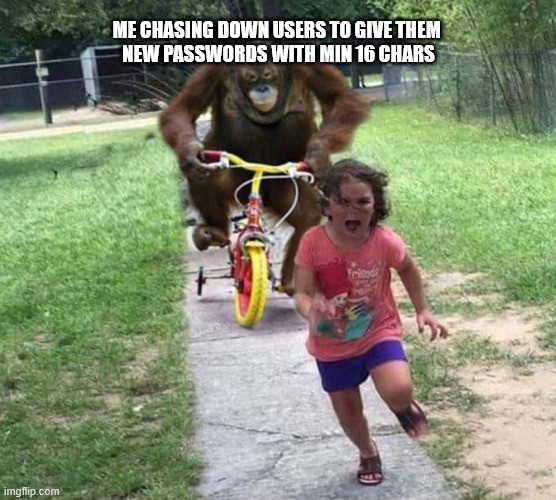
Taking over historically grown IT is hell
fourwordsalluppercase
Atleast16characters!
I’d happily use a passphrase with multiple unrelated 8-12 character words but for some reason most businesses have upper limits on how many characters can be used…
I think the worst case ive seen is a 16 character limit, not enforced at sign up, but enforced at login
This was Microsoft - for their online services such as Hotmail or Outlook.com or Azure - well into the 21st century. They first lifted that limit in 1999, then re-established that in 2012. They only re-reversed it back to a longer option (up to 256 characters) in 2019.
Like, morons.
And more and more businesses are also limiting what characters you use, as well.
Like, my random generator uses characters from the entire European UTF-8 printable character set. This expands the number of usable characters from about 68-74 (the typical uppercase, lowercase, 0-9 & special characters) to about 1,200 characters. This includes all Latin, Cyrillic, and Greek variations used across Europe.
Just using the wider UTF-8 range nearly always doubles the bitwise complexity (as KeePass measures it) for passwords of the same length, if not more, thereby dramatically reducing the ability for the password to be brute-forced. Not to mention using characters that are not expected to be in passwords in the first place - most brute forcing simply doesn’t account for that where a primarily English-speaking victim set is concerned.
Plus, the passwords are not short. I usually prefer 32 characters, and in important/mission-critical services I expand it to 64 characters.
That is the character limit on the database field where they store your password in plain text.
Yup.
For the unaware: modern hash algorithms have character limits, but it’s nothing that would ever interfere with a regular password. Even accounting for the salt that gets appended to the end of your password before it goes into the algorithm. Most of the popular hashes have a 128 character limit, and the site will also store a salt in your user’s database entry. That salt gets appended to your password before it goes into the hash. Basically, even if two users have the same password, the hash for each will see “password{Salt1}” and “password{Salt2}”. So they won’t show as the same hash in the database, even though they’re the same password.
This salt is to prevent something called a rainbow table attack, where a hacker feeds a bunch of common passwords into a bunch of common hash algorithms, then compares with their stolen database. If they find matches, they now know which algorithm the database was using, and they only need to brute force the database once. So for instance, they feed “{common password}” into several hashing algorithms. One gives the result “1234567890”. They then check their stolen database, and find several users with the hash “1234567890”. They try using {common password} on those user accounts, and they work! Now the hacker knows which hash algorithm was used, and can brute force the entire stolen database at their leisure.
By appending a salt to each password, “{common password}” actually becomes “{common password}{Salt1}” “{common password}{Salt2}”, etc… So even if the hacker tries to brute force it, they would need to brute force each individual password instead of brute forcing the entire database all at once. It’s still important to use strong passwords, because a weak password will still be broken in only a few seconds. But that will be a few seconds per weak password, instead of a few seconds for every user at the same time. This is why sites tell you to change your password after a breach. The idea is that salting the database makes brute force attacks take a lot longer, and gives most users time to change their passwords before the attackers manage to get anything.
All of this is to say, you could have a 100 character password limit, and still have plenty of room for a 16-28 character salt. And the hashes will output the same length string regardless of what you feed into it. So longer or shorter passwords won’t matter, because they’ll all turn into a 64 character hash in the end.
So putting a low character limit on a password is a site admin tattling on themselves, because it means they’re not hashing your password at all. If they were hashing it, the only upper limit on your password would be whatever the algorithm can accept (probably 128 characters) minus 20-30 characters for a salt.
Almost every hash algorithm does not have a character limit and instead uses chaining. Bcrypt is the odd one out of using only the first 72 bytes of a supplied password, tough you can still supply a longer password even if it does not make a difference.
Damn, this is a fantastic writeup, thank you for educating myself (and others, I’m sure!)
Very well explained, nice one!
Despite salting passwords, I would personally also like to see a lower character limit, to get people into the habit, combined with said salting. Just in case other sites don’t do password salting, among other potential reasons.
Sure, but it’s going on a sticky note taped on the bottom of my keyboard
Look at you with the heavy security. No need for that, right on the monitor should be fine. In fact to avoid confusion you should write ‘Computer PW: correcthorsebatterystaple’ so you don’t forget what the note is there for.
And don’t allow spaces, for some unknown reason.
Some sites require special characters in their passwords, other websites don’t even allow them. I use a password manager, but still have to tweak the password generation rule for some sites.
That is dumb bit what’s even dumber is disabling paste.
Oh there has to be an upper limit for things like buffer overflow or just plain RAM capacity limits. But even with allowing the max possible range of characters you are still looking at something like 100,000 in a single 1mb size and I’m sure they could manage to do that and still pass it along to a high quality hashing function.
If you try putting in a password longer than that yes reject it.
Correct Horse Battery Staple
I was setting up a service on my home server, and the default admin password was this, lol.
Also: reference for those who might be confused.
I prefer Incorrect Zebra Line Voltage Tape
Debatable Donkey Dynamo Duct-tape
hmm. that many letters. ok. 1…2…3… ah 16. cool.
here we go:
Input new Password:
Sixteenpassword!
ERROR: you must include a number
there is a number in it you stupid machine.
*ERROR: Your password must have a minimum sixteen characters
Minimum_16_characters
*Your password has been accepted
Fun password trick:
Pick an adjective, a color, an animal, and a cuss word.
Now pick 2 numbers and a special character, or 2 special characters and a number.
Separate your 4 words with your other 3 items and, boom! 12+ character password that you already remember.
Bonus points: lose the numbers and characters and you have a hilarious insult.
It’s a nice idea, but random passwords are quite a bit safer than any manually created password. We use password generators for that. Some of them also support passwords that can be pronounced. In some way, anyway, because the “words” make no sense.
Though, i’m still waiting for someone who would accept a passphrase.
Holy shit it happened, someone chose the passphrase
I make up a sentence and then I write it out. Why limit yourself to 12 characters?
Like the actual phrase
Why limit yourself to 12 characters?
is a very strong password, easy to remember, fast to type and has the added benefit of not containing any adjectives.
Length and complexity are the two most valuable things in a password.
“ThisIsMySuperCoolPasswordNoOneWillEverGuess#2!0” is an insanely good password. “G<7p8*a94;B” is pretty good too but howtf are you gonna type that every time
Keep them on their toes. After hunting down the last of them it’s time to introduce multi-factor.
That’s the plan. Can’t wait for their faces…
Why would you do such things? Just let me log in using some trusted authenticator please. If you can’t do that, you may as well replace everything with a confirmation mail every time I log in, cause you bet I’m going to click “forgot my password” Every Single Time and get in via the reset-email anyway.
You forcing me to change my password all the time just adds extra overhead to the inevitability that you’ll let me in after mailing me a confirmation code.
What does the age of my dictionary have to do with anything?
Just use a damn password manager already
It’s their user password to get into their computers. Password manager won’t help there.
One one hand, password manager is useful to log-in into random ass web service which i use once a year to get one random file or whatever and forget.
On the other hand, i need to authenticate every time i use my computer, and i need to just know the password, not pasting it from password manager every time.
Most password managers stay open for a configurable amount of time, plus you can use hardware tokens for more convenient/secure unlocking. And having to remember the master password without it being stored anywhere but your brain is kinda the whole point
After you use the password 2-4 times you will remember it, so i think it’s totally worth it tbh
Yo dawg you got good memory. I can remember a lot of things but passwords aren’t one. When I had to make a GSA level password, after trying for two hours to make one. I gave up, mashed some shit in and wrote it on a piece of paper. I could be tortured and all I can say here are all the restrictions and try to make one yourself.
Yo dawg you got good memory
Dw, i’il forget about it if i don’t use it for more than 3 days which is why i have a copy of the password on a piece of paper i carry around
This is topical because I just got one of these emails.
Nobody is going to bother guessing that I would be stupid enough to use a four character password. It’s good enough for my bank and my phone, so it’s good enough for my computer. (/s)
At least now they recommend pass phrases instead of words, but the examples were contradictory and they wrote all the words in 13375p34k
I let the users choose whether they want pass phrases or classic cryptic passwords. So far nobody wanted passphrases, because apparently they can’t do 10 finger system typing. Next step will be self-service passwords & MFA once we fixed the major issues around here.
That’s interesting.
I always found yubikeys cool
I like how some websites just gave up on passwords.
The Plague: Someone didn’t bother reading my carefully prepared memo on commonly-used passwords. Now, then, as I so meticulously pointed out, the four most-used passwords are: love, sex, secret, and…
Margo: [glares at The Plague]
The Plague: god. So, would your holiness care to change her password?
(Hackers 1995)
confused cert-token + password noises
*passkey
scrambles their password
“Rules is rules, reset your password if you want to work here. You can run if you want but it’ll be to the fucking unemployment line.”